# Authorize Host
Before you can use a newly [added host](https://github.com/platform9/pcd-docs-gitbook/blob/main/other-docs/pmo/5.4/host-management/host-management/infrastructure-add-host.md) host in PMO to start deploying your workloads on, you need to authorize the host. During the process of authorization, you will be asked to configure the host to have [one or more roles](https://github.com/platform9/pcd-docs-gitbook/blob/main/other-docs/pmo/5.4/host-management/host-management/infrastructure-add-host.md), which in turn will determine the OpenStack service(s) that will run on it. Depending on the role you assign to the host, you will need to configure a set of parameters specific for that role.
To authorize a host, follow the steps given below.
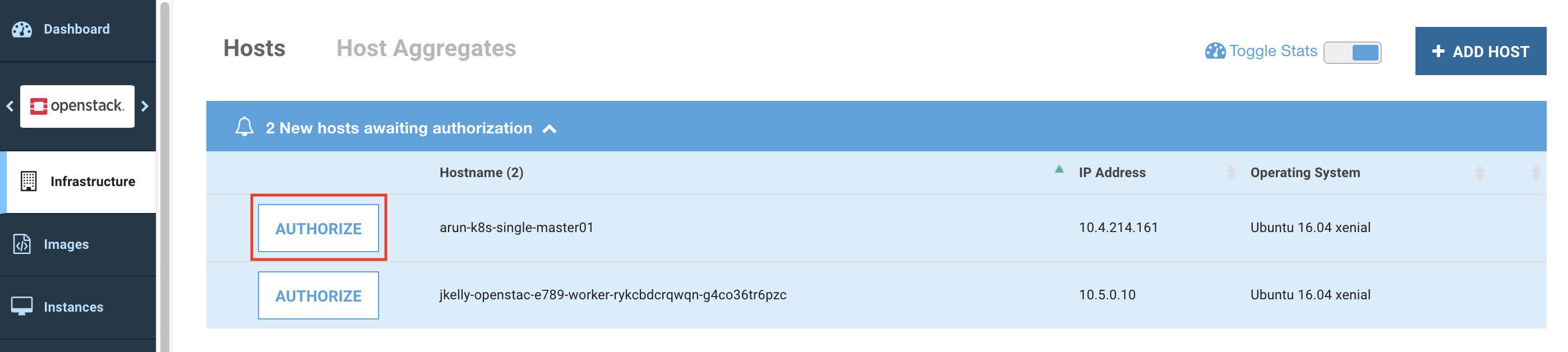
1. Click Authorize for the newly added host.
Platform9 UI – Infrastructure - Hosts
2. Configure the Networking settings for the host.
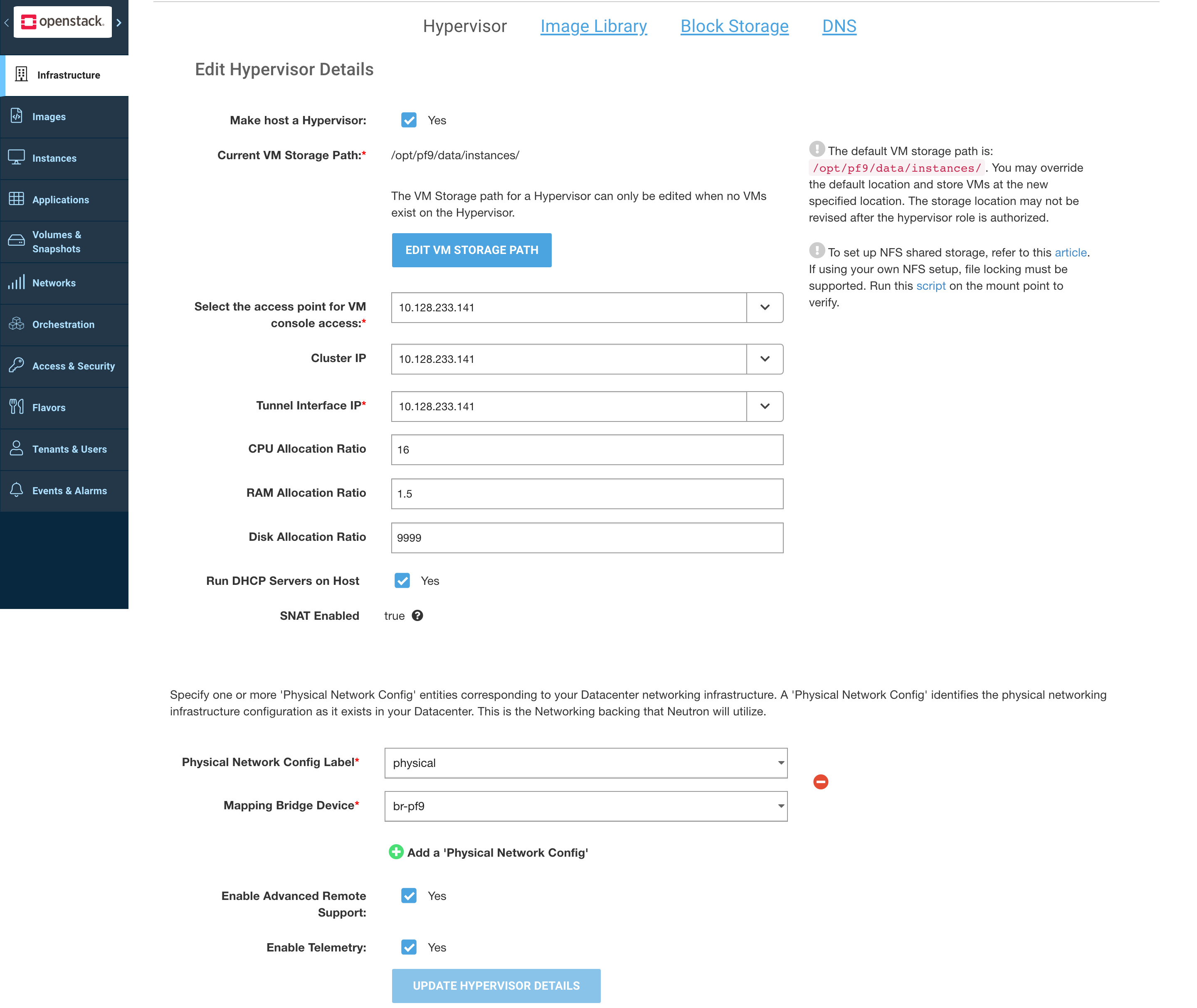
3. Configure the Hypervisor options for the host.
Platform9 UI – Edit Hypervisor Details
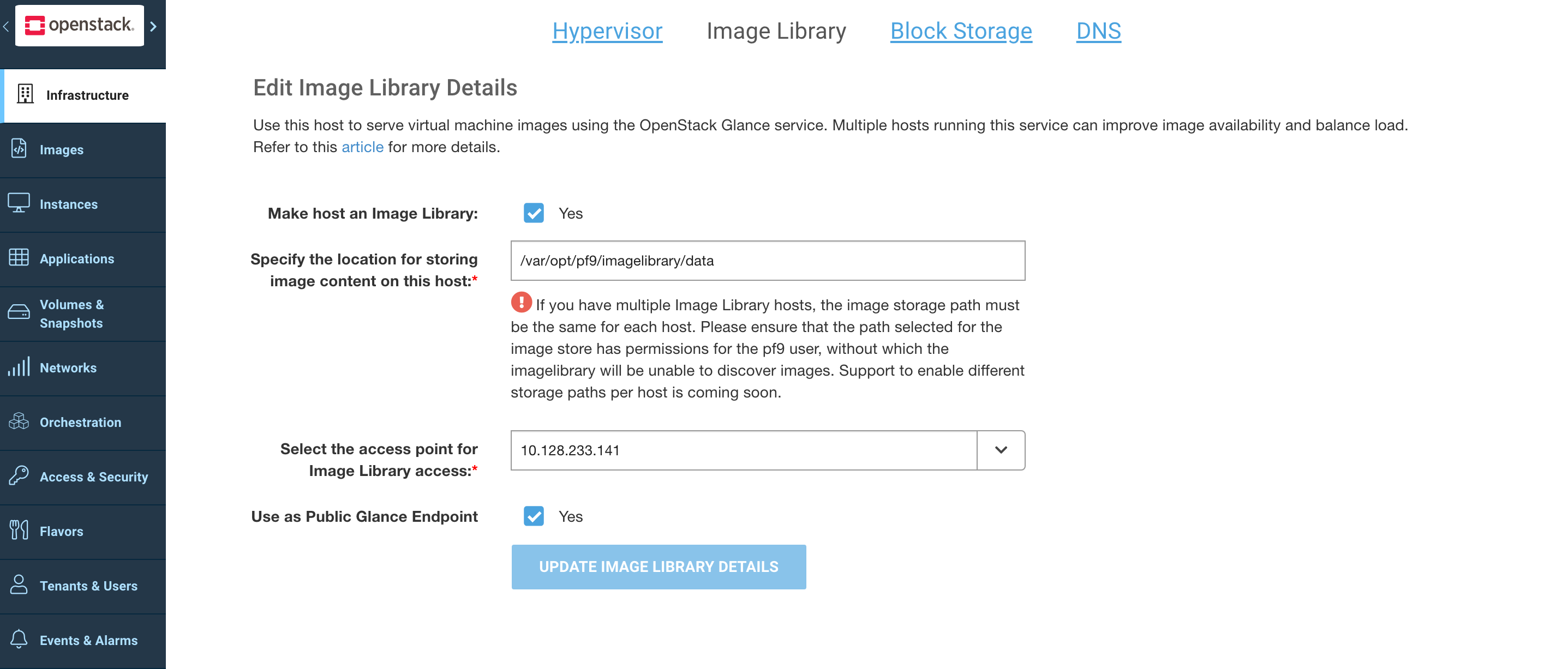
5. Configure the Image Library options for the host.
Platform9 UI – Edit Image Library Details
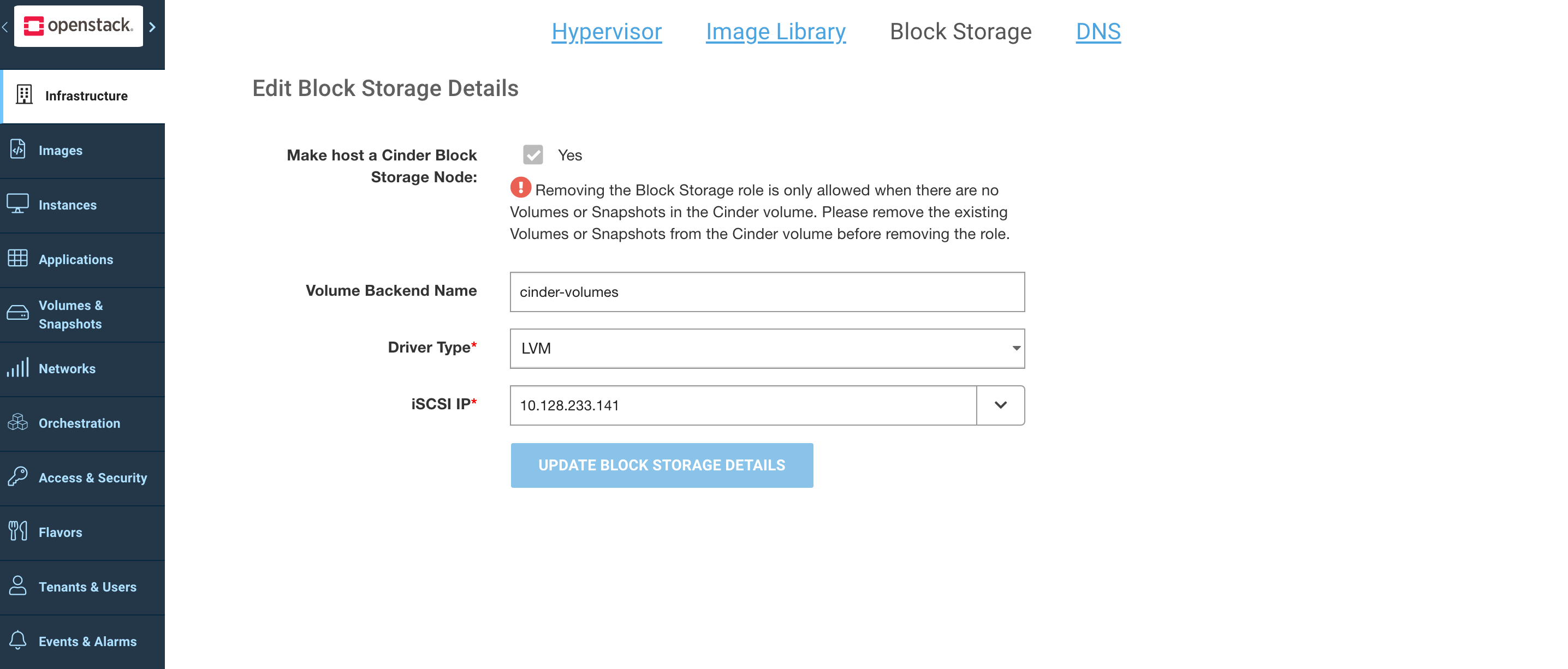
4. Configure the Block Storage options for the host.
Platform9 UI – Edit Block Storage Details
{% hint style="success" %}
**Success**
Once the above steps are complete, the host is authorized.
{% endhint %}