> For the complete documentation index, see [llms.txt](https://docs.platform9.com/llms.txt). Markdown versions of documentation pages are available by appending `.md` to page URLs; this page is available as [Markdown](https://docs.platform9.com/managed-kubernetes/5.8/rbac-profiles/drift-analytics.md).
# Drift Analytics
## What is Drift Analytics?
The new Profile Engine can also compare any managed cluster's RBAC configuration to any RBAC Profile, including automatically detecting drift for clusters with a profile applied. In addition, drift Analytics enables clients to quickly identify and resolve any RBAC Policy changes made on a cluster that is not compliant with the current profile.
## Testing
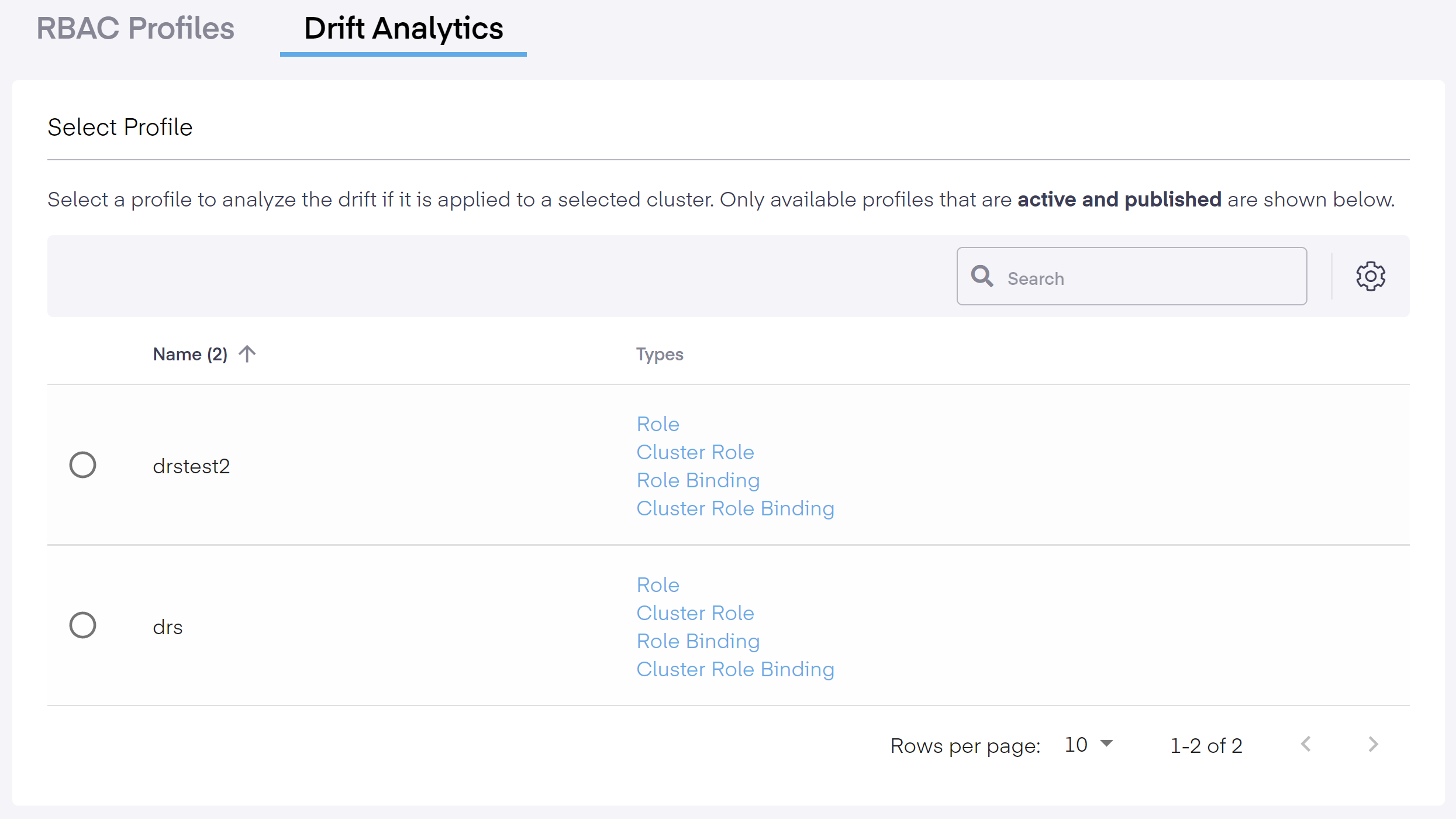
To begin, select a profile and a cluster to start analyzing the drift. As noted below, only active and published profiles are made available for testing. Therefore, no profile drafts are shown.
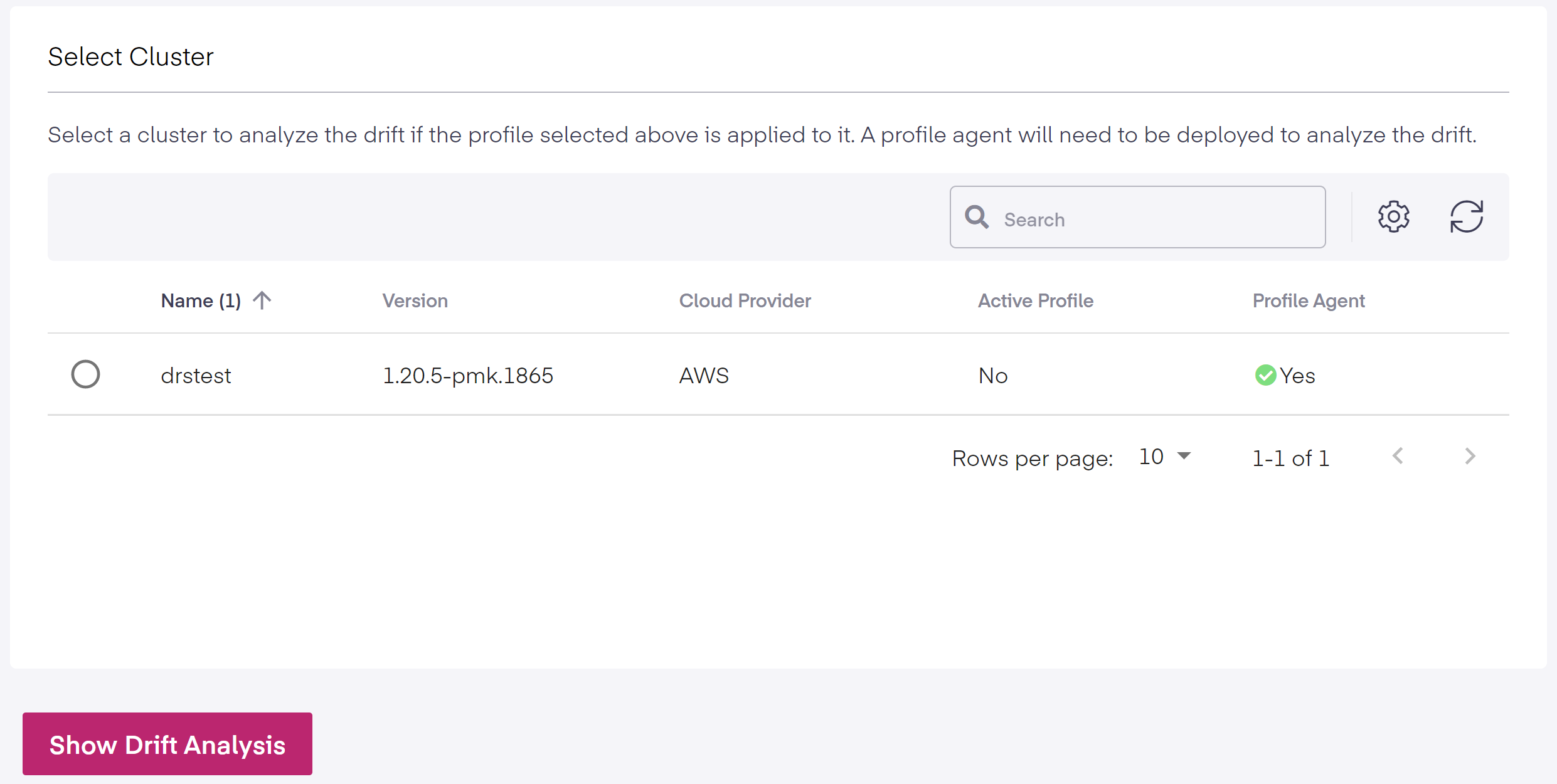
Next, select the cluster.
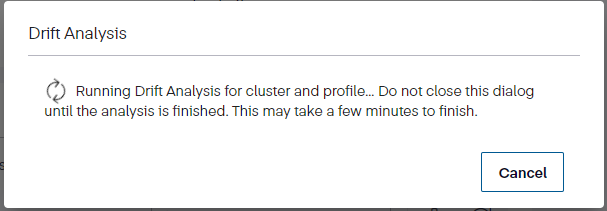
Once the profile and cluster are chosen, click the *Show Drift Analysis* button. The evaluation starts and the overview screen below informs us it is processing the profile review.
{% hint style="info" %}
**Info**
Clicking outside the Drift Analysis screen stops the testing process.
{% endhint %}
## Drift Summary
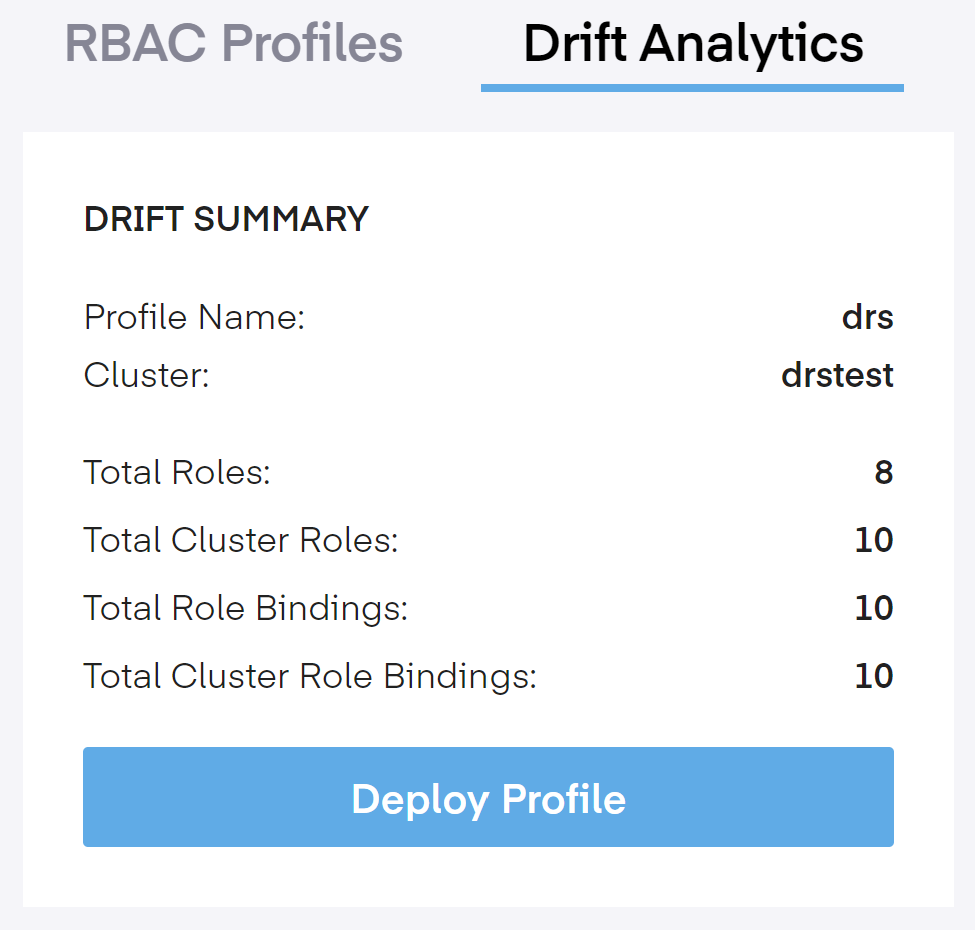
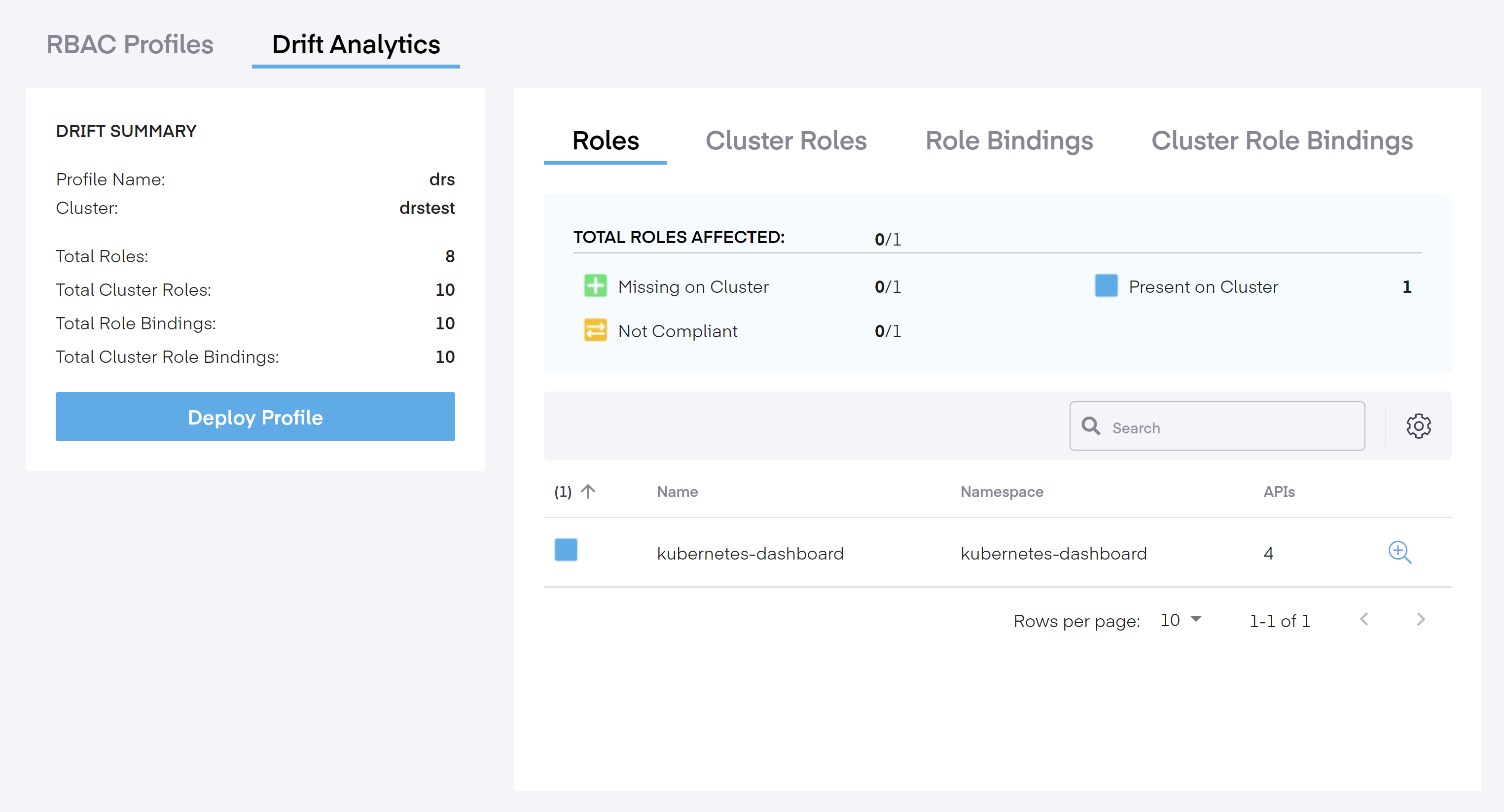
Once the test completes, it will show a Drift Summary including the profile name, the cluster it is attached to, the total number of rules in Roles, ClusterRoles, RoleBindings, and ClusterRoleBindings.
Below this, we have the final option to implement the new profile. Click the *Deploy Profile* button to install the profile.
### Roles / ClusterRoles / RoleBindings / ClusterRoleBindings Tabs
In each of the four tabs (*Roles, ClusterRoles, RoleBindings,* and *ClusterRoleBindings*), we see the total number of impacted roles, whether they are missing or compliant, and the number observed on the cluster. Below that, it shows the roles, namespaces, and the number of API/Permissions involved.
The following terms reveal the presence or absence of resources, and whether additional permissions are available.
* **Total X Affected:** The X value changes per tab depending on the role and presents the total number of Roles, ClusterRoles, RoleBindings, and ClusterRoleBindings affected by the modification.
* **Missing on Cluster:** Indicates that these resources are missing on the cluster. To bring them into compliance, deploy them on the profile.
* **Not Compliant:** This means that these resources on the cluster are missing or have additional APIs or Verb Access. On the right side, you will see the term.
* **Present on Cluster:** This signifies that these resources are present on the cluster but are not included in the profile.
---
# Agent Instructions
This documentation is published with GitBook. GitBook is the documentation platform designed so that both humans and AI agents can read, navigate, and reason over technical content effectively. Learn more at gitbook.com.
## Querying This Documentation
If you need additional information that is not directly available in this page, you can query the documentation dynamically by asking a question.
Perform an HTTP GET request on the current page URL with the `ask` query parameter, and the optional `goal` query parameter:
```
GET https://docs.platform9.com/managed-kubernetes/5.8/rbac-profiles/drift-analytics.md?ask=&goal=
```
`ask` is the immediate question: it should be specific, self-contained, and written in natural language.
`goal` is optional and describes the broader end goal you are ultimately trying to accomplish on behalf of the user. GitBook uses it to tailor the answer towards what is most useful for that goal.
The response will contain a direct answer to the question and relevant excerpts and sources from the documentation.
Use this mechanism when the answer is not explicitly present in the current page, you need clarification or additional context, or you want to retrieve related documentation sections.