> For the complete documentation index, see [llms.txt](https://docs.platform9.com/llms.txt). Markdown versions of documentation pages are available by appending `.md` to page URLs; this page is available as [Markdown](https://docs.platform9.com/managed-kubernetes/5.10/troubleshooting/troubleshooting-issues-cluster.md).
# Troubleshooting Issues Cluster
## Cluster Creation
### Public Cloud Provider
* Make sure the permissions for the account you provided to PMK as part of cloud provider creation has all the required privileges. See the AWS pre-requisites under Getting Started section for more details
### Cluster Creation Fails for BareOS
* Navigate to Infrastructure -> Clusters tab.
* Click on the cluster name. This will take you to the cluster details page.
* Click on the “Node Health” tab
Here you should see detailed breakdown of which nodes failed to install and which specific steps failed. Next, check [auto$](https://github.com/platform9/pcd-docs-gitbook/blob/main/kubernetes/troubleshooting-node-install-status-check/README.md).
## Etcd
### Heartbeat/Election Timeout Interval
{% tabs %}
{% tab title="Bash" %}
```bash
2021-02-04 18:36:31.380207 W | etcdserver: failed to send out heartbeat on time (exceeded the 100ms timeout for 124.999498ms, to 92d6e239c543436)
2021-02-04 18:36:31.380220 W | etcdserver: server is likely overloaded
2021-02-04 18:36:31.382208 W | etcdserver: read-only range request "key:\"/registry/mutatingwebhookconfigurations/vault-agent-injector-cfg\" " with result "range_response_count:1 size:2723" took too long (264.355727ms) to execute
```
{% endtab %}
{% endtabs %}
**ETCD\_HEARTBEAT\_INTERVAL -** This is the frequency with which the leader will notify followers that it is still the leader.
**ETCD\_ELECTION\_TIMEOUT -** This timeout is how long a follower node will go without hearing a heartbeat before attempting to become a leader itself.
By default, etcd uses a`100ms`heartbeat interval and`1000ms`election timeout.
{% tabs %}
{% tab title="Bash" %}
```bash
# cat /etc/pf9/kube.env | grep -i etcd
export ETCD_HEARTBEAT_INTERVAL="1000"
export ETCD_ELECTION_TIMEOUT="10000"
```
{% endtab %}
{% endtabs %}
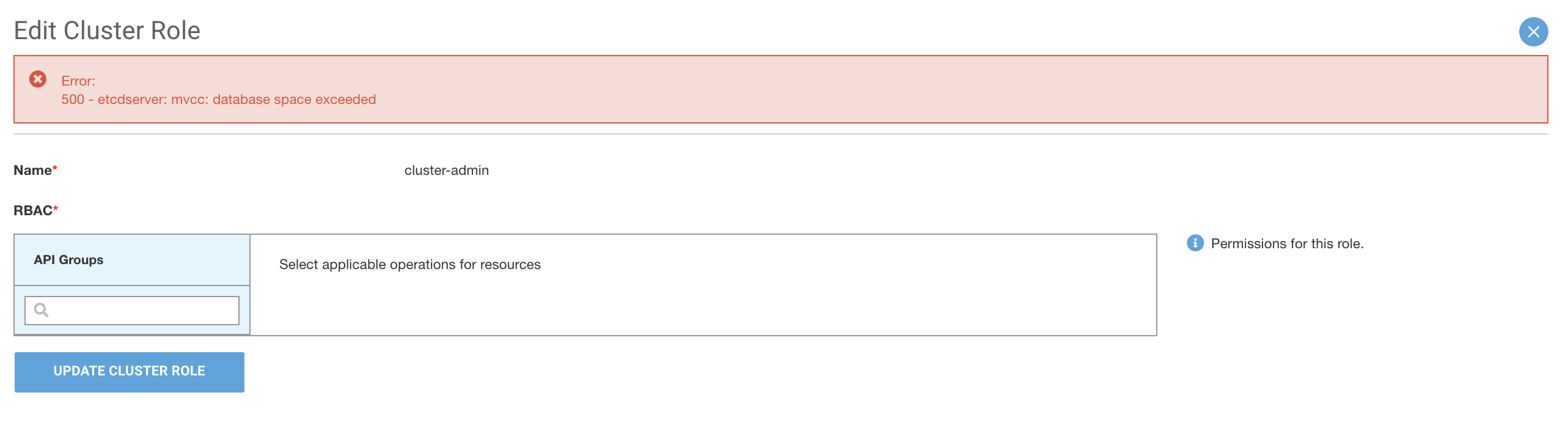
### Database Size Exceeded
{% tabs %}
{% tab title="Bash" %}
```bash
etcdserver: failed to apply request,took 2.429s,request header: txn: success:> failure:<>>,resp ,err is etcdserver: no space
```
{% endtab %}
{% endtabs %}
1. Stop the `pf9-hostagent` and `nodeletd` services on the master node(s).
{% tabs %}
{% tab title="Bash" %}
```bash
sudo systemctl stop pf9-{hostagent,nodeletd}
```
{% endtab %}
{% endtabs %}
2. Issue a `stop` for the Nodelet phases.
{% tabs %}
{% tab title="Bash" %}
```bash
/opt/pf9/nodelet/nodeletd phases stop
```
{% endtab %}
{% endtabs %}
3. In `/opt/pf9/pf9-kube/master_utils.sh` , modify the function `ensure_etcd__r_unning()`to add the following environment variable.
{% tabs %}
{% tab title="/opt/pf9/pf9-kube/master\_utils.sh" %}
```bash
--volume ${ETCD_DATA_DIR}:/var/etcd/data \
-e ETCD_DEBUG=${DEBUG}
-e ETCD_QUOTA_BACKEND_BYTES="
```
{% endtab %}
{% endtabs %}
4. Start the `pf9-hostagent` service.
{% tabs %}
{% tab title="Bash" %}
```bash
sudo systemctl start pf9-hostagent
```
{% endtab %}
{% endtabs %}
5. Verify the size was correctly set by scraping the etcd metrics endpoint.
{% tabs %}
{% tab title="Bash" %}
```bash
curl -L http://localhost:2379/metrics | grep etcd_server_quota_backend_bytes
```
{% endtab %}
{% endtabs %}
---
# Agent Instructions
This documentation is published with GitBook. GitBook is the documentation platform designed so that both humans and AI agents can read, navigate, and reason over technical content effectively. Learn more at gitbook.com.
## Querying This Documentation
If you need additional information that is not directly available in this page, you can query the documentation by asking a question.
Perform an HTTP GET request on the following URL with the `ask` and `goal` query parameters:
```
GET https://docs.platform9.com/managed-kubernetes/5.10/troubleshooting/troubleshooting-issues-cluster.md?ask=&goal=
```
`ask` is the immediate question: it should be specific, self-contained, and written in natural language.
`goal` is what the user is ultimately trying to achieve, the reason they need the answer. Sharing it helps GitBook give you a better, more relevant answer. A goal is most helpful when it describes the outcome the user wants rather than restating the question. For example, with `ask=how do I create an API token`, a goal like `automate deployments from our CI pipeline` lets GitBook tailor the answer to that use case.
The response will contain a direct answer to the question and relevant excerpts and sources from the documentation.
Use this mechanism when the answer is not explicitly present in the current page, you need clarification or additional context, or you want to retrieve related documentation sections.