> For the complete documentation index, see [llms.txt](https://docs.platform9.com/llms.txt). Markdown versions of documentation pages are available by appending `.md` to page URLs; this page is available as [Markdown](https://docs.platform9.com/managed-kubernetes/5.10/storage-introduction/storage-classes.md).
# Storage Classes
A StorageClass supplies users a method to detail the type of “classes” offered. Each StorageClass has a provider that determines what type of volume plugin utilized for provisioning a persistent volume. To get to this tab, click on the Storage > Storage Classes tab.
Before installing an application that requires storage, we should create a StorageClass. This can be created via the Platform9 Storage Class dashboard.
{% hint style="warning" %}
**Note: Storage Drivers are required as pre-requisite for the StorageSlass**
Kubernetes requires storage drivers to be installed on the clusters before creating the storage class. For example: Clusters created on AWS require ebs drivers to be installed; refer .
{% endhint %}
## Add Storage Class
### Step 1.
Navigate to `Storage` > `Storage Classes` menu and click `Add Storage Class`.
### Step 2.
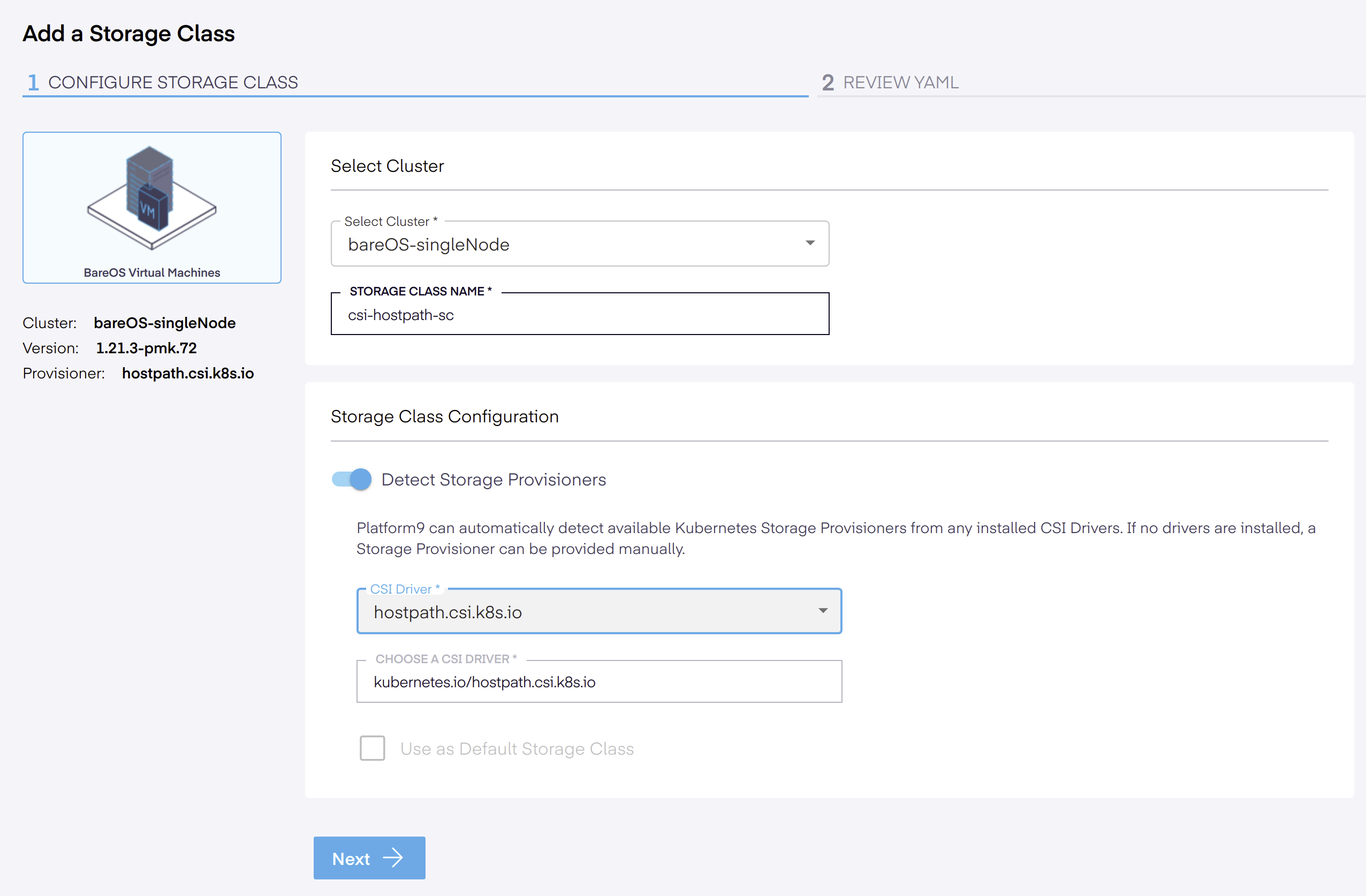
Select the cluster, then name the storage class
{% hint style="info" %}
**Info**
Platform9 can automatically detect available Kubernetes Storage Provisioners from any installed CSI Drivers. If no CSI driver is installed, a Storage Provisioner can be provided manually.
{% endhint %}
### Step 3.
Choose an installed CSI driver or choose a new CSI driver, then click
.
{% hint style="info" %}
**Info**
If you want to use this storage class as the *default storage class* for the cluster, select the `Use as Default Storage Class` checkbox.
{% endhint %}
### Step 4.
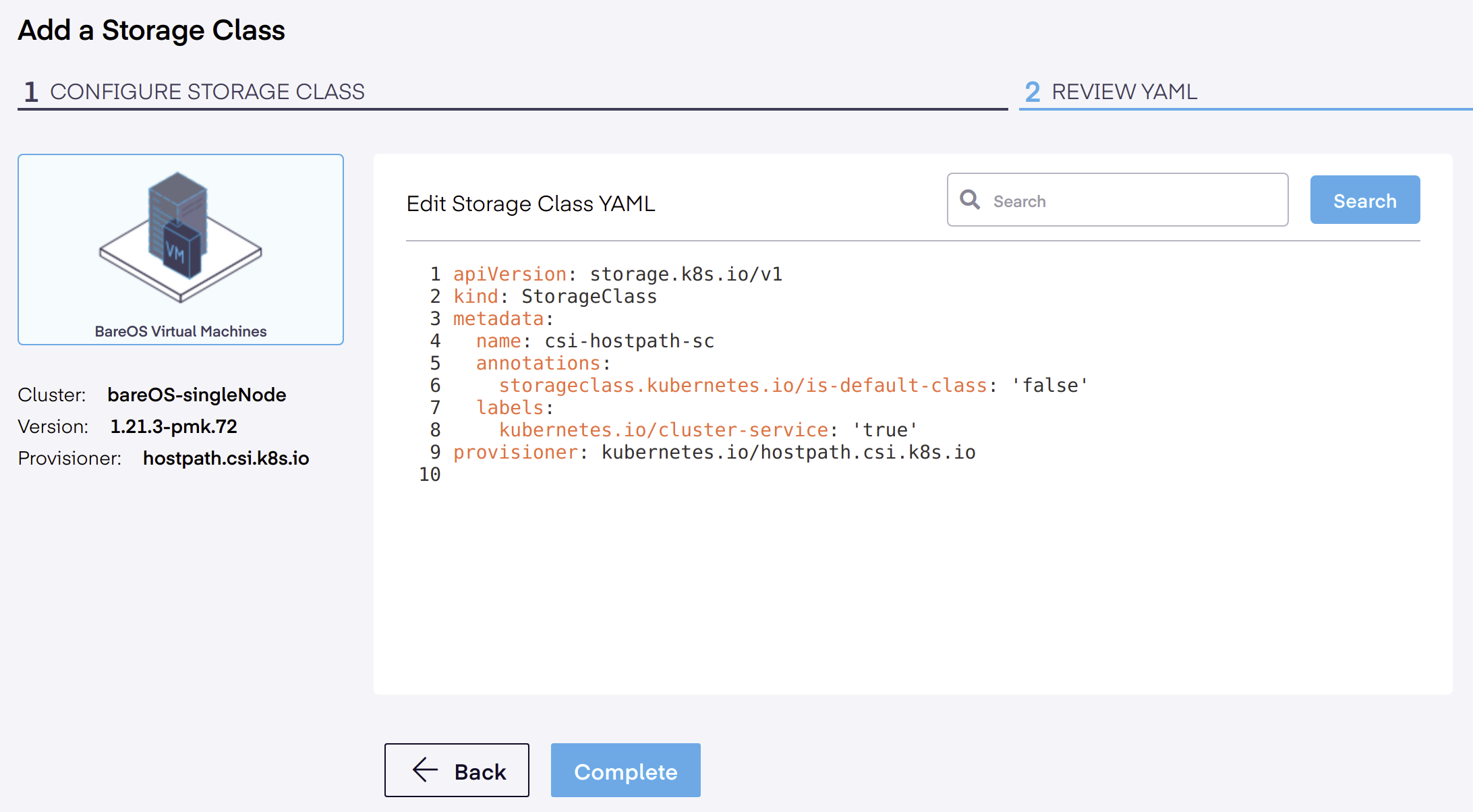
A new review window opens where we can review the configuration to ensure it matches the example StorageClass YAML file for a CSI Hostpath Driver noted below.
{% tabs %}
{% tab title="YAML" %}
```yaml
apiVersion: storage.k8s.io/v1
kind: StorageClass
metadata:
name: hostpath-csi-sc
annotations:
storageclass.kubernetes.io/is-default-class: 'false'
labels:
kubernetes.io/cluster-service: 'true'
provisioner: kubernetes.io/hostpath.csi.k8s.io
```
{% endtab %}
{% endtabs %}
The YAML file is created based on the parameters specified in the initial *Configure Storage Class* screen. Users can now edit the YAML file and append any additional parameters needed, based on the storage class type. If everything is finished, click the *Complete* button.
The newly added storage class can now be used for deploying persistent storage for your applications on this cluster. See @
## Edit a Storage Class
The Storage > Storage Class (link) YAML displays the YAML file that is created based on user specified parameters which can be edited to include any additional parameters if required, based on the storage class type. You can modify a storage class for a cluster by going to the YAML file, making any needed changes, and then clicking save.
## Delete Storage Class
To delete a storage class, follow the steps provided below.
### Step 1.
Navigate to `Storage Classes`menu and select the storage classes to delete from the grid.
### Step 2.
Next, click Delete. A warning is displayed and if so desired, click the `Delete Storage Classes` button to permanently delete the selected storage classes.
{% hint style="warning" %}
**Warning**
When you delete a storage class, any deployment that requests a new volume with the deleted storage class will fail. If you delete the default storage class, any deployment that requests a volume without explicitly specifying a storage class will fail.
{% endhint %}
---
# Agent Instructions
This documentation is published with GitBook. GitBook is the documentation platform designed so that both humans and AI agents can read, navigate, and reason over technical content effectively. Learn more at gitbook.com.
## Querying This Documentation
If you need additional information that is not directly available in this page, you can query the documentation by asking a question.
Perform an HTTP GET request on the following URL with the `ask` and `goal` query parameters:
```
GET https://docs.platform9.com/managed-kubernetes/5.10/storage-introduction/storage-classes.md?ask=&goal=
```
`ask` is the immediate question: it should be specific, self-contained, and written in natural language.
`goal` is what the user is ultimately trying to achieve, the reason they need the answer. Sharing it helps GitBook give you a better, more relevant answer. A goal is most helpful when it describes the outcome the user wants rather than restating the question. For example, with `ask=how do I create an API token`, a goal like `automate deployments from our CI pipeline` lets GitBook tailor the answer to that use case.
The response will contain a direct answer to the question and relevant excerpts and sources from the documentation.
Use this mechanism when the answer is not explicitly present in the current page, you need clarification or additional context, or you want to retrieve related documentation sections.